ARC continues to evolve alongside the teams who rely on it. Guided by direct customer feedback, our latest updates deliver smarter controls, expanded accessibility, and more efficient workflows—through both new features and meaningful improvements you may have missed. Here’s what’s new.
Expanded Language Support
To improve accessibility, Spanish is now available across both the ARC Kiosk and ARC Client Portal.
On the ARC Kiosk Team members can now view kiosk screens in:
English
French
Spanish
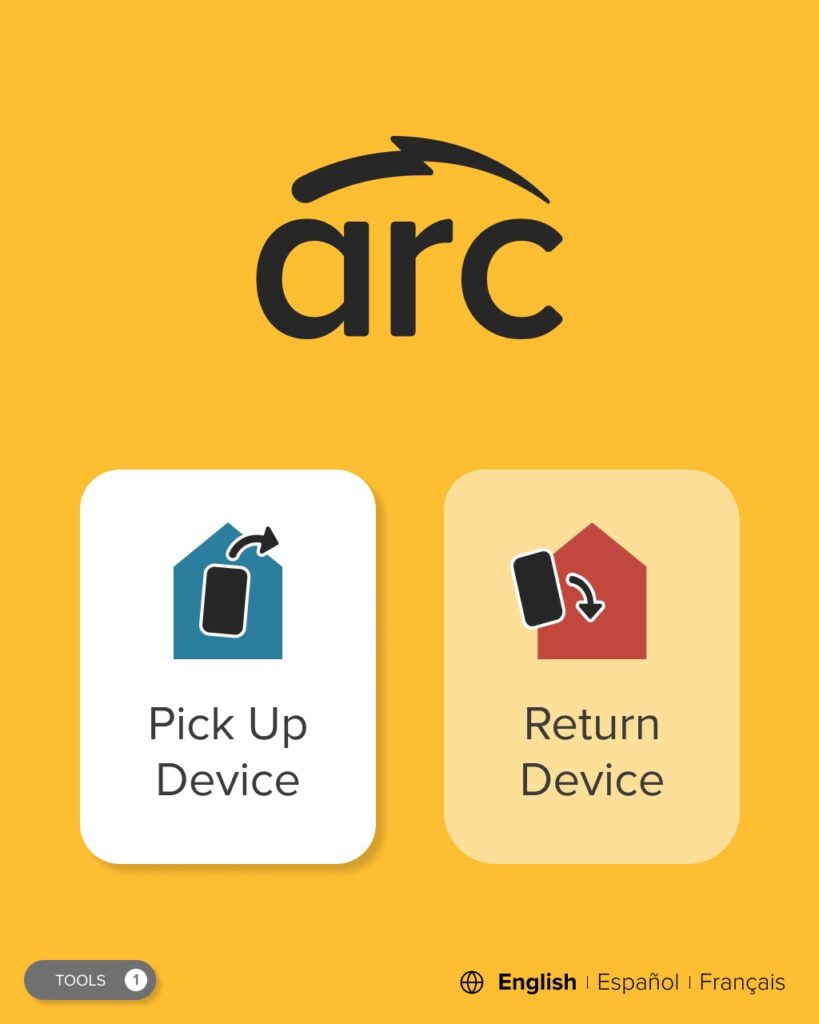
To change the language, simply select your preferred option in the bottom-right corner of the Kiosk Home Screen.
Spanish on the Kiosk
On the ARC Client Portal The Client Portal now supports the same three languages. Users can select their preferred language using the drop-down menu in the top-right corner of the portal. The browser will remember the last selected language (though it’s not tied to a specific user account), and language preferences can be changed from any page.
This update helps ensure every team member can confidently interact with ARC—no matter their language preference.
New Return Restriction Configuration: Prevent Device Drift
ARC now offers an optional return restriction that ensures devices are returned to the same kiosk group they were checked out from—helping prevent device drift in multi-site environments.
Why it matters: This update enforces correct returns regardless of who returns the device, keeps inventory where it belongs, and provides clear on-screen guidance if a return is attempted at the wrong kiosk.
Good to know: The feature is fully customizable and won’t affect existing settings. ARC’s Client Success team can help determine if it’s right for your location.
Same-Name Users? ARC Has You Covered
Managing large teams often means managing duplicate names—and ARC now makes this easier and safer than ever.
What’s improved
ARC now supports activating multiple team members with the same name
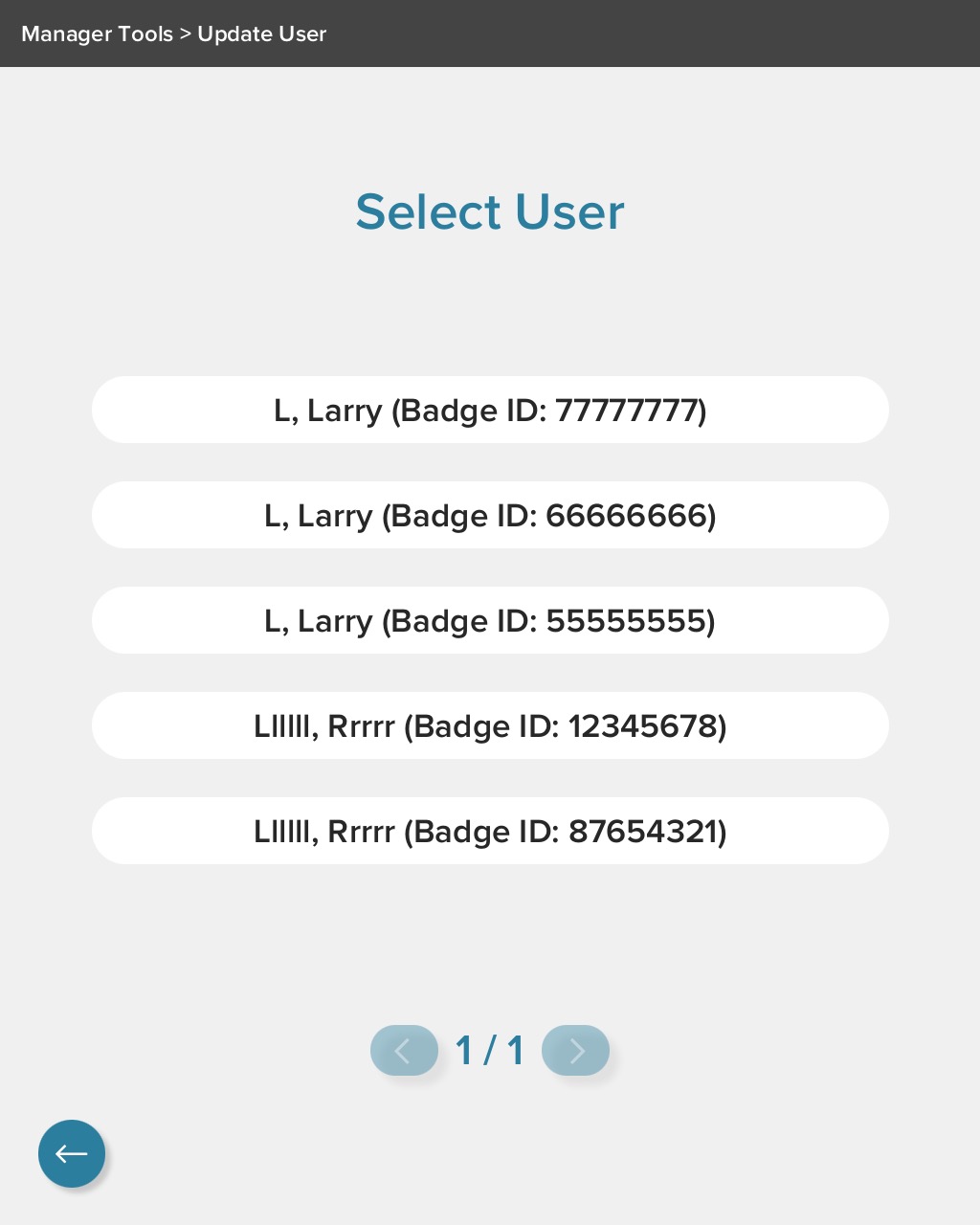
When duplicates exist at the same location, Badge ID is displayed to clearly differentiate users
This ensures accurate identification without confusion
Manager Tools login, Kiosk
Activation safeguards
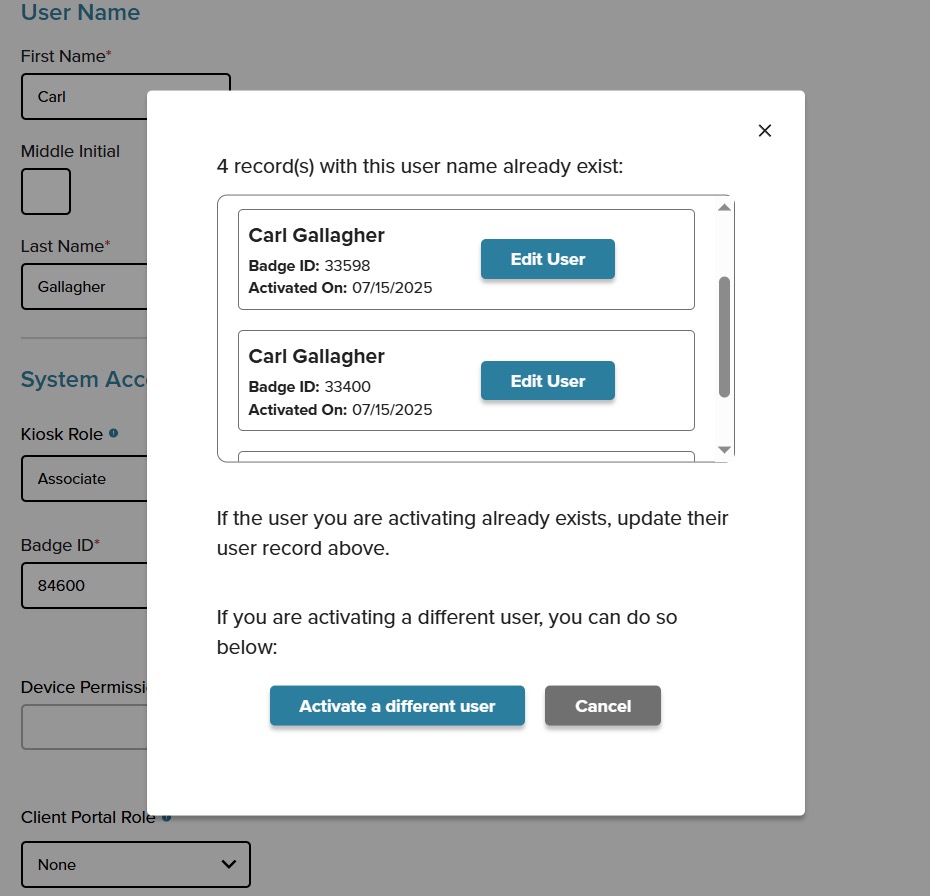
Team members with identical names must be activated in the ARC Client Portal (not at the kiosk) as a safeguard.
If a duplicate name is detected, the kiosk prompts managers to complete activation in the portal.
ARC also guides managers to update an existing user instead of creating a duplicate.
The result: smoother onboarding, fewer errors, and cleaner user data.
Smarter User Imports: Clear Errors, Less Guesswork
We’ve overhauled the User Import experience to make troubleshooting faster and more transparent.
What’s new
Clear explanations for why specific rows fail to import
Actionable guidance on how to fix issues
A downloadable PDF error summary, so you can review and resolve problems later if you’re short on time
This update removes the guesswork from bulk user management and helps teams stay productive—even when imports aren’t perfect.
User Roster Update: Badge ID Front and Center
To further support accurate user management, the User Roster has been updated to include Badge ID as a visible column.
This makes it easier for managers to:
Quickly locate a user’s Badge ID
Distinguish between team members with similar or identical names
Confidently manage activations, updates, and troubleshooting
Looking Ahead
These updates are all part of ARC’s ongoing commitment to building smarter, more flexible device management tools—designed around real-world workflows and operational challenges.
If you have questions about any of these features or want help enabling them, your Client Success team is always here to help. And as always, keep an eye out—there’s more coming soon.